2026-05-28
Linux, Me, and the Joy of Computers
A rambly essay on my journey with, and towards, Linux and open source software.
Because time flies by at a truly horrifying speed, I can already say that at the time of releasing this post, it has been exactly one year since I wiped the last traces of Microsoft's Windows 10 off my computer, and replaced it with a Linux distro - Arch Linux, to be exact.
It was a choice a long time in the making, but not a difficult one by any means. I was actually feeling something that my computer hadn't made me feel in a really long time: I was incredibly excited to tinker with my machine.
This decently long, painfully nerdy, and incredibly self-indulgent essay, will break down my journey with and towards Linux, my bafflement at the seemingly endless incompetence of Microsoft, and how rediscovering my joy of computers has shaped the way I think about software.
If that sounds like a fun time to you, then settle in somewhere cozy, top up your beverage of choice, and let's dive right into it.
What is Linux? A Quick Primer
Before diving into this lengthy ramble, let me just catch anyone who either doesn't know what Linux is, or just vaguely has an idea of it, up to speed.
Linux is a kernel, originally developed, and still maintained, by Linus Torvalds. The project is now maintained by thousands of developers across the world, with contributions also coming in from huge corporations. But to this day, the final judge of what gets into the Linux kernel, and what doesn't, is still Mr. Torvalds - and we should cherish this fact deeply.
It is the most successful free open source software (FOSS) project in history, and is ubiquitous in our modern, tech-heavy world. You might not be aware of it being there, but it's estimated that anywhere from 60-96% of the world's web servers run a Linux distribution as their operating system. And web servers are just a small part of it. Android? A Linux derivative. The OS powering your various smart appliances? Most likely Linux as well. The list goes on, and Linux is everywhere in the modern world.
However, the Linux kernel is "just" that - a kernel. The core of an operating system. What most people talk about when they talk about Linux, are the many operating systems (distros/distributions) built on top of this kernel. That's also primarily what this ramble is about, where my focus is on Linux as an operating system for desktops. So unless I explicitly state so, when I say "Linux", I'm referring to Linux-based operating systems.
Linux is a free open source software project. That means that the source code is fully public, and freely available for anyone to see, clone, modify, and contribute to. No money is being made directly from Linux "sales" by the maintainers, because there are no sales to be made - the product is freely available. It's fully volunteer-based, however with the footnote that core maintainers are being paid from donations to e.g. the Linux Foundation, or by being employed by large tech companies that rely on Linux for their operations.
And with that out of the way, let's get into the extended ramble on Linux, and how I got there. For a start, let's establish what I was running away from in the first place.
Microsoft's Journey To Rock Bottom
I don't think there's a more succinct summary of Microsoft, than the one made by the living legend NakeyJakey. In the perfectly titled video essay "Microsoft Sucks at Everything", he takes a beautiful deep dive into the painfully long, painfully slow decline of the tech industry titan. In his case the main focus was on the video game side of things - I'll try adding some more angles from the software engineering, and heavy end-user perspective.
I like to tell myself that I'm still somewhat young, but I'm also at this point old enough to remember when Microsoft wasn't a slop-factory, and actually made functional, easy-to-use operating systems. Windows XP was a bop. Windows Vista was a shitshow at launch, but sort of came around throughout its lifetime. Windows 7 was pretty neat. Everything past that point has been a masterclass in pointless enshittification, along with a complete refusal to acknowledge the complaints of their end users.
And I was happily dragged along for this journey. Windows 10 was a painfully meh experience on its best days, but those were few and far between. So when I got the dreaded notification that Microsoft would be EOL'ing Windows 10, and I could either upgrade to Windows 11 or live a life as an unprotected outlaw, I knew there was no other path forward than abandoning the sinking ship.
Because I'd seen what Windows 11 looked like, and it wasn't looking pretty. And somehow, every god forsaken month, they'd shoehorn their just desperately useless AI companion Co-pilot into every corner of the OS, with seemingly no new lows they wouldn't stoop to in terms of having it stealing your data, and simultaneously offer zero actual value. Add to that the frequent full system brickings their updates would cause (I had the pleasure of sorting one out for my parents while home for Christmas last year - cheers for that, Microsoft), the seemingly unending demand for more RAM to run the system, and you're starting to see the full picture of why I wanted nothing to do with Windows 11.
And all of these complaint points are about Windows 11. I'm not even getting to touch on how ass it was to use Windows 10 (we'll leave Windows 8 out of it, because there just isn't enough time to get into that).
The user experience of Windows had felt painfully broken for a long time. Anyone who ever had to search for a file on their own machine can attest to that. Finding nothing, and even worse, somehow finding search results from Bing in my search bar. I'm not even that annoyed about Bing, but there has yet to ever be a single day in my life where I wanted my OS search bar to search the internet. If I want to do that, I'll open a web browser.
The search bar problem (which is genuinely a huge UX issue, which Microsoft's neglect to fix can only be attested to pure arrogance at this point), is just one small part of the shitshow that is the Windows user experience. Another very important point to me, is how incredibly difficult managing my own machine was starting to get. Everything was buried in layer after layer of obscure menus, seemingly designed to keep you from getting too close to your own hardware, and thus making it so much harder to fix your own machine when it would inevitably break (because that's what tech does).
When I was younger, on my family's Windows XP machine, or my very first own machine (running Windows Vista), I could sort out most issues at the software level. There was always a guide online, and there was always a clear path from the userspace to the point in the configurations that needed tuning to sort out the issue. That clear path is pretty much gone, and finding fixes to user space problems, with a userspace solution-path, is near-impossible on modern Windows machines.
I don't think I need to don my tinfoil hat to say that all of this feels deliberate, and generally follows a pattern which can be seen in all of consumer technology: The underlying mechanisms, and your ability to interact with them, to either fix or customize a piece of technology that you own, are being abstracted away from you. Big tech does not want you to be able to easily change how your device works (like e.g. opting out of AI-centric enshittification and data harvesting), nor do they want you to be able to fix your own hardware - after all, wouldn't it be much nicer to just buy a new one?
The Software Engineering Perspective
Lukewarm take: I actually didn't hate being a developer on Windows. I did my entire degree on a Windows machine, built most of Tryp.com's critical infrastructure and systems on a Windows machine, and generally didn't suffer all that much while doing my thing on my old setup. Almost 100% of my issues were with the general user experience.
Sure, PowerShell was always a bit annoying, and Windows Subsystem for Linux was good, but also not as great as a fully integrated experience. But I got used to all of these things, and worked around them without even thinking about it. I had a command-line, Docker, VSCode, and access to pretty much all the toolchains I needed - honestly not that bad. In hindsight, Windows was for sure causing a lot of friction I wasn't aware of, but it was never the main reason I wanted to leave the OS behind.
In recent years, Microsoft has had whatever the opposite of King Midas' touch is. I genuinely believe that the downfall of Microsoft as a provider of software for everyday consumers, will be an entire academic field of study in a few years. And to make matters worse, the people calling the shots there seem stuck in a state of near-delusion, constantly ignoring user feedback, even arrogantly implying to know better than the end-users, in terms of what they should want their machine to be.
I want to make it clear that I know that Microsoft is stacked with incredibly talented engineers and staff. That's just a plain fact. There's evidence of their engineering talent all over our industry. Especially their contributions to modern programming languages have been huge, and a lot of their dev tooling products are among the industry standards.
All of these Windows and product issues come from the top, and no amount of talented engineers can salvage a company guided by suits on greed–amplified power-trips. These power-trips seem to be largely fueled by the belief that users have literally nowhere else to viably go - but trust me, you do, and we'll be getting into that in just a second.
So with all of these grievances in my mind, and the threat of having to daily-drive Windows 11, I turned to an old, old friend.
My Journey Towards Linux
My first ever meeting with Linux was when I was 15 years old. I was an aggressively nerdy kid, who out of a mixture of curiosity, and in the pursuit of street cred and the aura of being an epic hackerman™, ended up dual-booting Ubuntu (to this day still one of the most widely distributed and user-friendly Linux distros out there) on my crusty old gamer laptop.
So I downloaded the most recent Ubuntu ISO, flashed it onto the nearest USB drive, disabled secure boot, and was off to the races. Already back then, the Ubuntu installation process was incredibly peaceful, and I was good to go in just a short while.
It immediately delivered on all my hopes: My classmates would ask about it when they saw me use my laptop, and I've never felt more badass than I did when someone "happened" to spot me (with absolutely no careful planning on my part) updating my system through the terminal. To offset the geekiness a bit, I made sure that my screensaver was a frame from the elevator opening sequence from Psy's "Gangnam Style", so that people would know that I might have been a scary hackerman, but I was also funny and in tune with current trends - truly, I was living the dream.
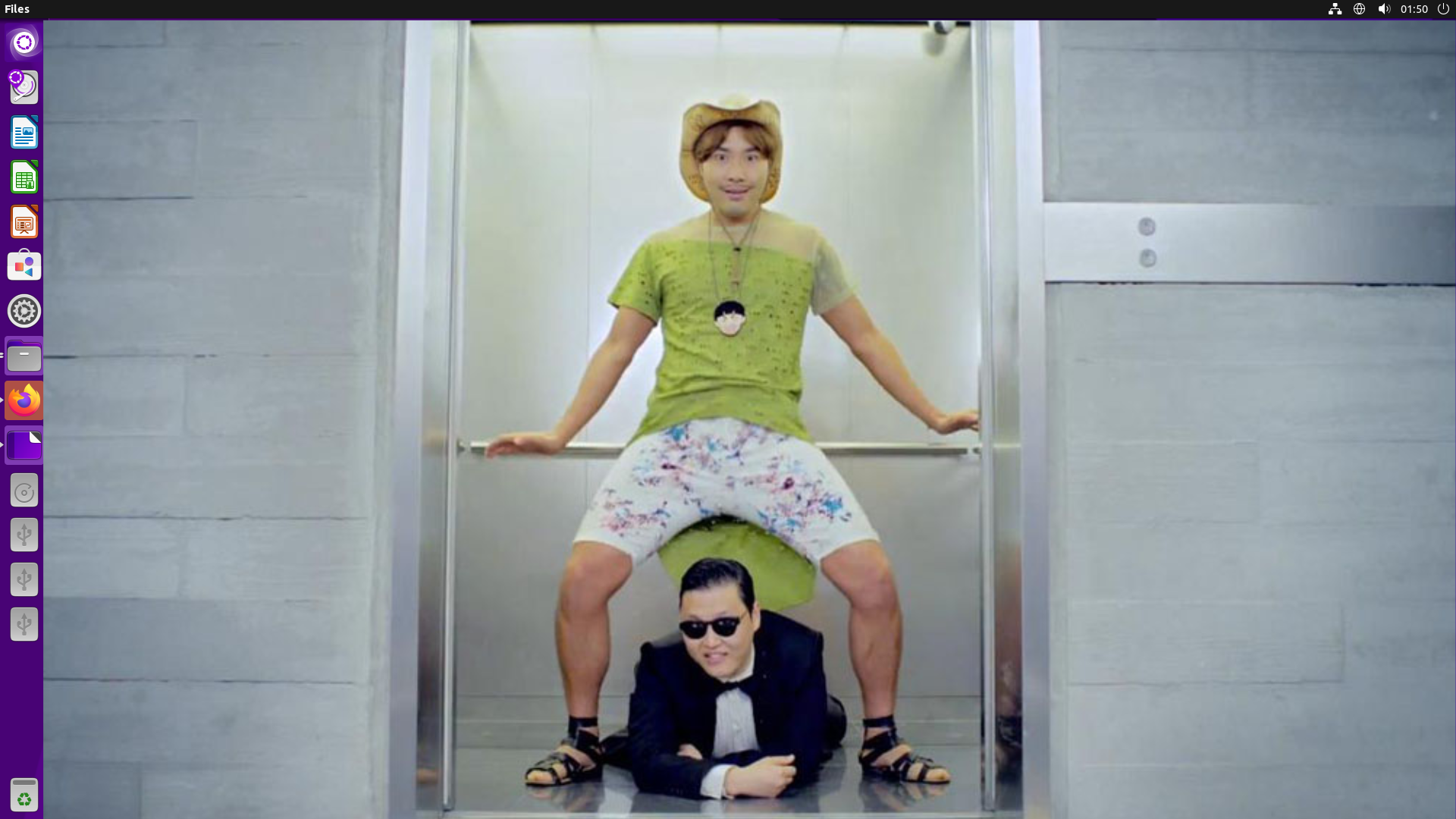
And I hated it. Despite my best efforts, Ubuntu would only ever be an annoying side-character, that I would accidentally boot up when I forgot to switch to loading Windows on boot. It just didn't easily do any of the things I wanted to do, and remembering terminal commands was not nearly as much fun as running them in front of people was. Any time Ubuntu got the slightest bit difficult, I'd just reboot and go sort things out in Windows.
So I got rid of it again - a failed experiment, and the death of my first attempt at tech-based aura-farming. But from that time onwards, I would always stay slightly up-to-date with the Linux world. Just checking news and updates every once in a while, to know what was going on.
Beginning My SWE Journey
The next time I would come into close contact with Linux again was during the orientation days, right when I started pursuing my Software Engineering degree. I was already feeling a bit out of place, having most of my high-school background in more humanitarian subjects. I had always shined more in language and history classes, or any context where I could get to analyze a piece of media, or write something. I had done A-levels in math, and it had taken everything I had to get through that with an average grade. I had done no programming beforehand either, aside from a few Hello World programs in C++ and Java - never really making it past the for-loop stages in tutorials, because things just weren't progressing fast enough for me.
So I was already very afraid of being too far behind to ever catch up (a grand total of zero lessons into the degree - imposter syndrome is a bitch), but I knew I wanted to do software engineering, so by God, I was gonna do it. And very few people in that initial 150 person batch terrified me more, than the people daily-driving Linux - the very manifestations of the skills that I had failed to acquire. A fearless bunch, who had already become masters of their machines. I knew I had a lot of catching up to do.
Throughout my degree and my work, I would go on to encounter Linux loads of times. And as time went on, I got both familiar and even comfortable working on servers running Linux, and writing code being run in Linux environments. I guess that comfort was part of how I ended up with the job title "Head of Infrastructure" when we initially founded Tryp.com - it was such a natural position for me to take.
Tryp.com was initially pretty much a fully serverless shop (AWS Lambda and Fargate primarily), but over time I've moved large parts of our system onto more and more VPS-based solutions, where SSH'ing into Linux servers is now part of the daily grind - and I've loved every second of it!
So a good 6-ish years after starting my degree, I was pretty much ready for the collision between every single gripe I had with Windows, and some not-so-gentle nudges from the universe.
Clown College
In the all-time classic The Simpson's episode "Homie the Clown", Homer upon seeing a billboard about going to clown college, develops an ever-increasing obsession with the idea, until he finally snaps, and decides to pursue this new obsession of his.
My "clown college billboard" for installing Linux, would end up being PewDiePie's "I installed Linux (so should you)" video. It had actually been years since I'd last watched a video from Mr. Kjellberg, but this one caught my eyes, and ended up planting the seed in my brain that would very quickly grow into the choice to install Linux on my own laptop.
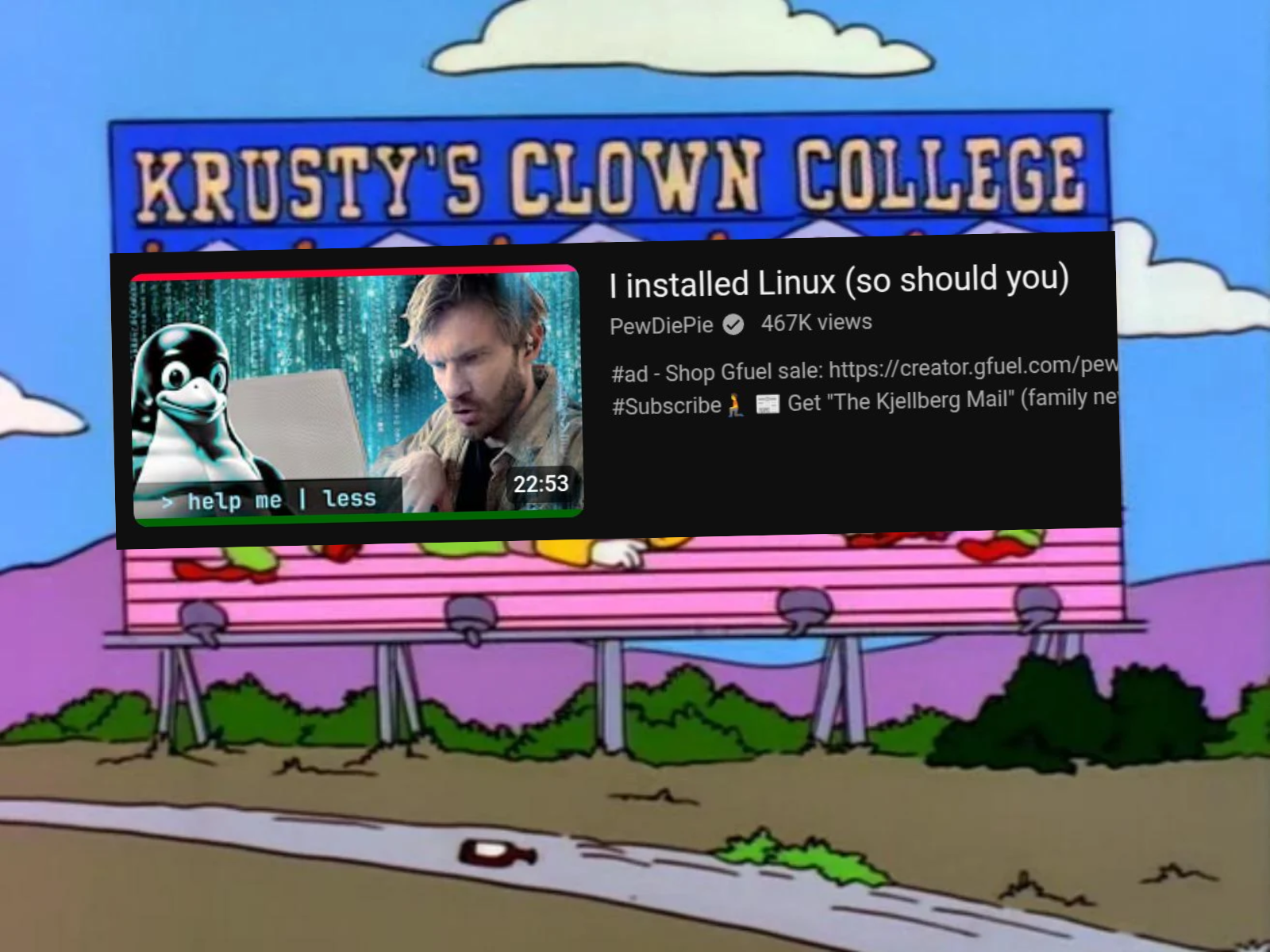
The video had a lot of highlights in general, but especially seeing him using the tiling window manager Hyprland, had me mesmerized. I'd never heard of any tiling window manager before, but seeing it in use, I intuitively knew that this is exactly what I wanted. That, and getting to say the infamous phrase "I use Arch, btw." of course (not that you can't use Hyprland on other distros, but Arch feels like the best supported one).
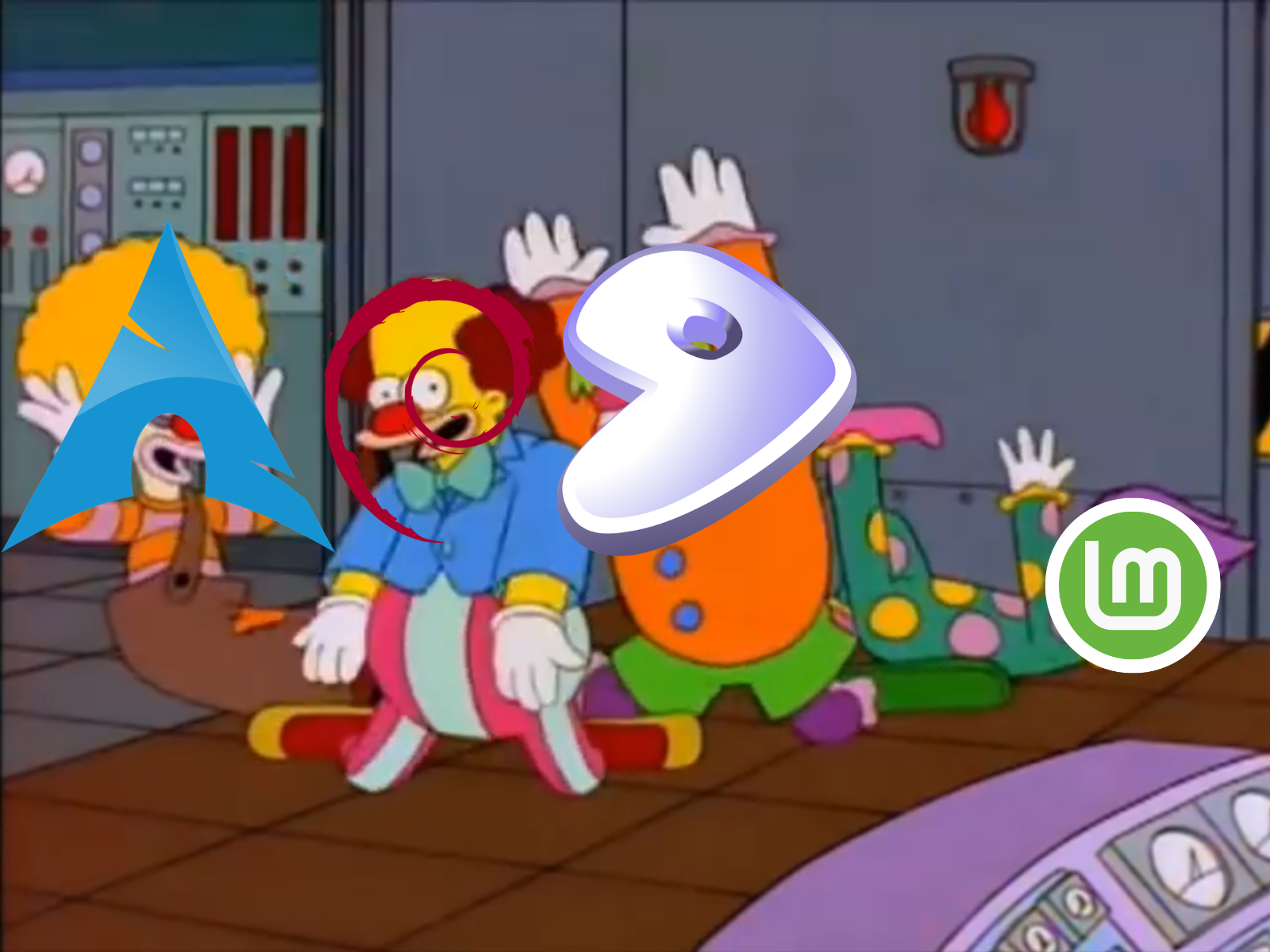
So in love with the idea of trying out Arch and Hyprland, I dug deeper, and found the brilliant YouTube channel Typecraft. Typecraft has a ton of guides for various Linux setups, but I ended up obsessively watching the Arch Linux install videos, and the Hyprland config videos. This was my point of no return - I ordered a thumb drive for backing up my data, and another one for flashing the Arch ISO onto, and patiently awaited my deliveries.

While awaiting the delivery of my pre-requisite thumb drives, I played around with going through the infamous Arch installation process, in a local VirtualBox. Just going through it, following the famous Arch wiki - no archinstall here (an automatic installation flow which evokes mixed feelings from the hardcore Arch community), I was taking the hard way forward. As I slowly got familiar with the ins and outs of the process, my confidence about installing Arch Linux the hard way grew.
When the day finally came, and my thumb drives landed in my mailbox, I was like a child on Christmas. An agonizingly long period of waiting (almost an entire week!), spent watching every Arch Linux + Hyprland video under the sun, and practicing the installation flow on my VirtualBox again and again, finally reaching its conclusion.
I backed up my data to the larger SSD thumb drive, backed up my Windows product keys (just in case), flashed the Arch ISO onto the much smaller, much less fancy thumb drive, and disabled secure boot in my BIOS. The time had come to put all my theory into practice - time to climb the mountain of installing Arch Linux manually.
I chickened out, lol.
I went with archinstall. I know, I'm sorry, I let myself, and the community at large, down.
To make it clear what a manual Arch install looks like, you basically start with nothing but an incredibly limited terminal, and slowly assemble a working configuration towards your hardware from there. This includes stuff like setting up your hard disk layout, choosing your filesystem, mounting partitions, configuring swaps, installing pretty much every piece of software you'll need. It's incredibly rewarding to slowly see it come together, and the process is generally quite well-documented (Arch Linux is famous for having the most complete Wiki in pretty much all of the Linux world). But the idea of somehow goofing my partition layouts, and ending up with a fundamentally broken system right out of the gate, just spooked me too much.
So I found solace in my learning outcomes from running something like 10 manual installs on my VirtualBox, and opted to play it safe on my actual machine - the coward's gambit, I know, but one that has given me an Arch installation that has let me down a grand total of 0 times, and has required no re-installations. And even when leveraging archinstall, you do need to configure a lot of the nitty-gritty details yourself. They've just made a small TUI and flow for it, that makes it a bit easier to control, and to not mess up. So understanding what each of these configs actually do under the hood, is still quite beneficial.
Now, if you're completely new to the world of Linux, and find yourself reading this and thinking "this is definitely too much, this Linux nonsense ain't for me", I'd fully understand that. However: This is a very, very Arch Linux (i.e., one specific distro) way of going about things. There are a few distros that are designed for end-users who want that level of control, and that "from scratch" nature. There are plenty of other Linux flavours, that will have you managing a grand total of zero of these things, and never have you touching a terminal during installation or daily usage.
So please don't be spooked by my tales of Arch Linux - it's a very specific OS, for a very specific user demographic, and there are plenty of incredibly well-made alternatives for people who want their computer to "just work". We'll dive into some of those later on, so stay tuned for that (or scroll straight there if me waxing poetic about my journey is starting to bore you a bit).
So there I was, Windows completely wiped from my machine, a blinking terminal cursor looking back at me from my screen, and my installation of Arch complete. I still had a lot of configuration to do, but the hard part was done. The Arch installation process still ultimately just leaves you with a setup where your OS and your machine are capable of working together - you still need to install a desktop environment, install appropriate packages for managing e.g. the microcodes towards your CPU producer, and configure trimming of your hard disk if you're running on an SSD. You'll have a whole laundry list of things to install, and some of them should ideally be installed during your installation flow, to ensure they're there the first time the system properly boots up. For that reason, I highly recommend working out what your system will need in terms of installed packages before starting the install process - have a little checklist ready, and you'll be fine.
My heart was set on Hyprland as my desktop environment / window manager, but I made sure to have the more familiar-looking and stable GNOME desktop environment ready as a fall-back - installed, and ready for me to boot into, if I got myself into trouble setting up Hyprland.
And so I got to work, slowly chopping away at small config issues, getting my sound drivers and bluetooth functioning, etc. By following various guides, copying from dotfiles on GitHub, referencing the Arch forums and Wiki, I slowly arrived at a functioning system that could do everything I at a minimum needed it to. I had graduated into a fully fledged Arch user.
A Year of Daily-driving
Looking back at the system I had on day one, and the one I have now at the beginning of year two, they're actually not that horrendously different. The rolling-release model of Arch, means that a whole heap of updates have gone through the system since then, so it's very much an "OS of Theseus" sort of situation, but the way it works and feels is pretty much similar.
I've polished some of the behaviours to fit exactly how I like to work, and built a few tools of my own to allow the least possible amount of friction when using my own machine. And that to me is the real beauty of not just Arch specifically, but of running Linux: This is your machine. It should feel that way. You should be able to have it tailored to your needs, and behave how you want it to behave. That's a freedom neither Windows nor MacOS will ever truly allow you, and where Linux just gets out of your way.
Naturally, there are reasons that the two big commercial OS products try to restrict you - they don't want you on the phone after you accidentally brick your own machine, touching things you shouldn't have been touching. The reality is that a lot of users don't particularly want to touch these things either. Which is perfect, because you don't have to mess with these small details on Linux! But the option is there, and the choice is yours. And if you take a second to look around at the developments of the tech world at large, you'll notice that the amount of freedom and choices you have, is dwindling at an alarming rate.
The main thing that I love about my machine now, as compared to when running Windows 10, is just how little the OS gets in my way. When I'm working, and in a good flow state, there's almost zero friction being introduced by the OS itself. Running a tiling window manager, and working in a very terminal-based way, I pretty much only need to touch my mousepad when interacting with websites. I've even built a few TUIs (terminal user interface) to replace some of my more commonly visited websites for work. Which is another beauty of my setup: Most friction that I've encountered, I can usually program or config my way out of, and that sort of tinkering is what makes it truly feel like my machine.
And the search bar complaints from earlier? My search setups actually search through my files, and returns matches on file names and content - novel concept, I know. It never even considers quickly asking Bing either.
It also doesn't hurt just how lightweight my Arch installation is. Windows is completely saturated in bloat, profoundly useless AI features, and personal data gathering features. My laptop is starting to be a slightly old machine (somewhere north of 6 years old, with pretty much daily heavy use), and was sweating buckets from just existing with Windows, even while doing absolutely nothing. Since making the switch, the only times I get to hear my laptop fan running at full throttle, is when doing actual heavy work on it. Not when just idling.
I've been lucky enough to never have my system fully die on me, and I've never had to re-install Arch. I have had a few hiccups along the way: Suddenly broken sound and bluetooth drivers, package updates that required manual intervention, Hyprland updates that broke my local config, Hyprland flat-out dying on me, etc. It's worth noting that Hyprland, while extremely popular, is still a pre-version-one piece of software, so by running it, you are pretty much signing up to be along for the ride in terms of changing configs and APIs breaking your setup from time to time.
Most of my issues are very specific to my setup - not to Linux itself. There are plenty of terrifyingly stable distros out there, where you'll have none of the hiccups that I've experienced.
And based on the headlines from the last year alone, if I'd simply opted for upgrading to Windows 11 (like Windows was begging me to do for well over a year), my system would have been bricked more than once from broken firmware updates. With that in mind, I certainly don't mind having to update a Hyprland config every once in a while.
My Current Setup
For those curious, this is just to quickly summarize what my setup currently looks like.
I'm running Arch Linux, with Wayland as the display server protocol, and Hyprland as the desktop environment. My filesystem of choice is Btrfs, with Zstandard as the compression library.
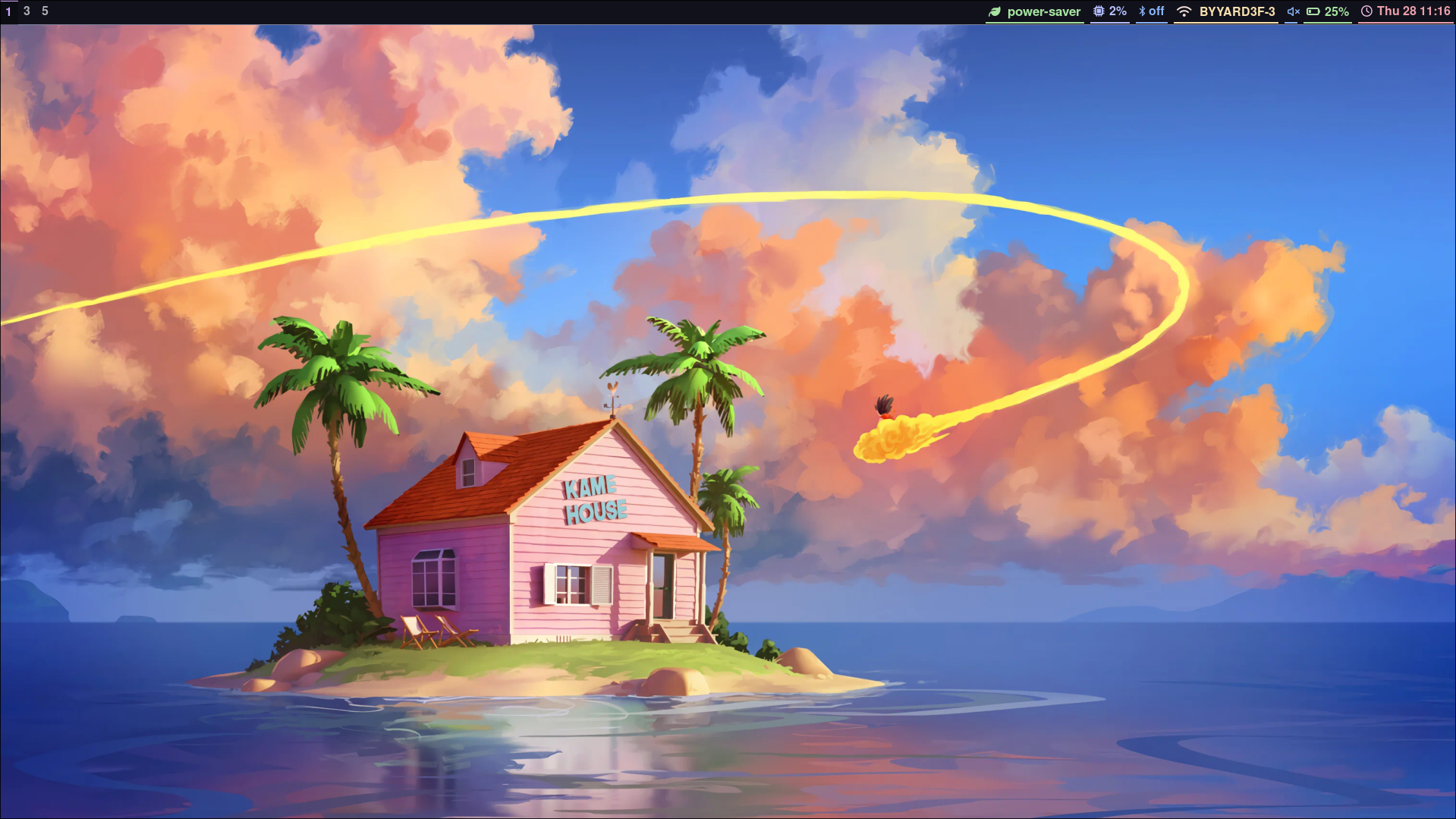
Most of my setups are just using the native Hyprland ecosystem: Hyprlock, Hyprpaper, Hypridle, etc.
My toolbar is Waybar, with an incredibly bog standard configuration. My app launcher is Wofi, and when I need a terminal multiplexer I tend to favour tmux, although I do have Zellij installed as well.
I use yazi as my file explorer, but also have nemo installed if I happen to need a GUI file explorer (still haven't had time to wrangle e.g. drag-and-drop uploads from yazi).
If you go into the "ricing" community (the art of customizing your desktop environment's behaviour and visuals), you'll find some truly incredible creations made with Hyprland. I've intentionally not opted for that route, and kept my rice as absolutely minimal as possible, to avoid too many moving parts that can break on updates. But it genuinely is amazing what people have been able to cook up, and even if you have already decided that Linux isn't for you, I would highly encourage swinging by ricing communities on e.g. Reddit, and see what they're creating.
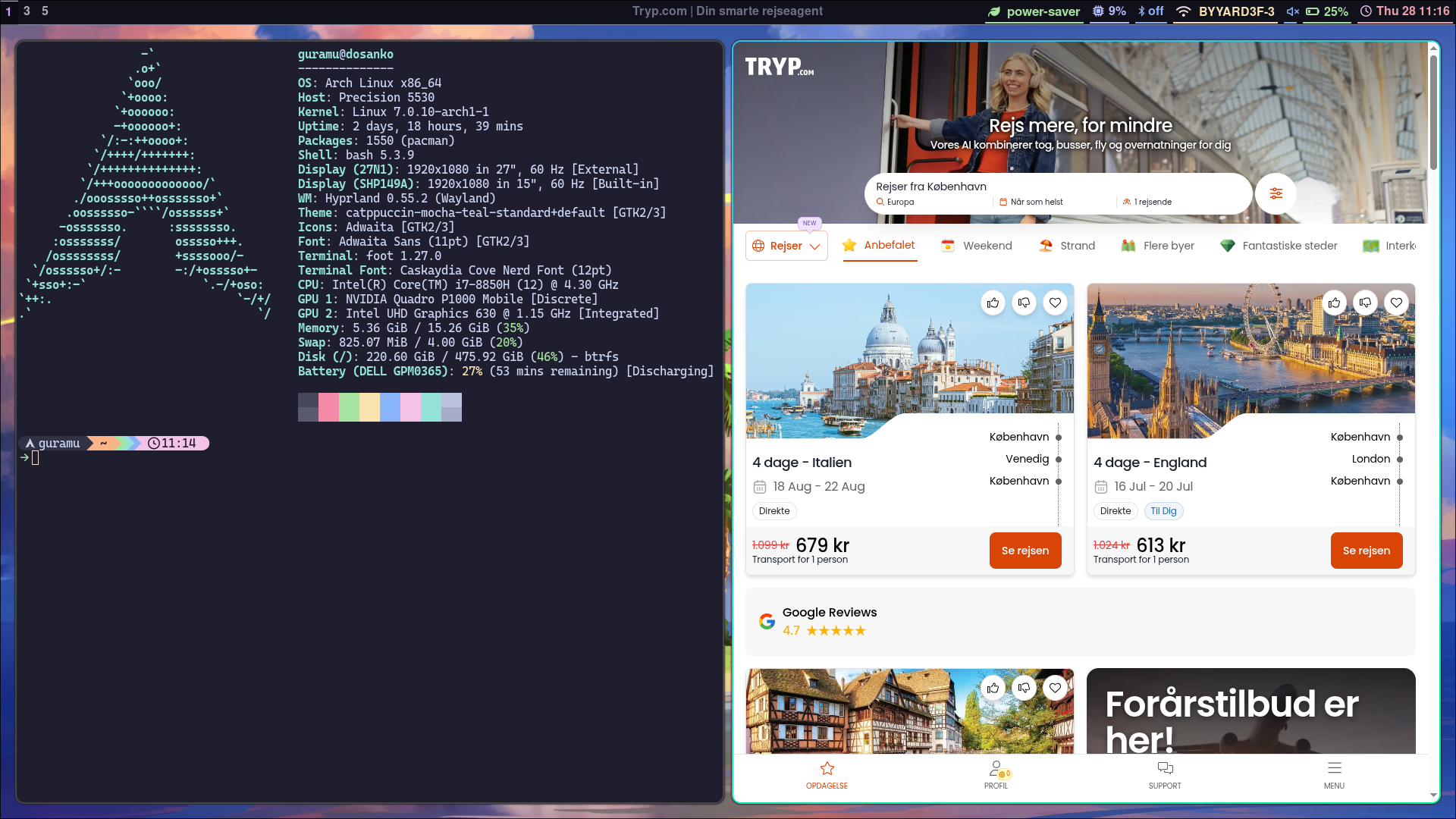
I have a few hotkeys for my most frequently accessed and needed applications, so I can easily get them launched and access them. In my terminal, I similarly have a whole pile of aliases configured for my most frequently executed commands and applications (all of this combined has made me practically useless on other machines than my own).
For my terminal emulator I'm running foot (yup, that's its actual name). It's lightweight as all hell, and does everything I need it to do. I don't exactly know why, I just think it's neat. There's a ton of nice options out there, but every time I try out Kitty, Alacritty, or Ghostty (just to name a few), it just doesn't feel right. I think foot is just the terminal for me. I'm running bash rather than Zsh or fish - this is a point I might actually revisit at some point in the future, but for now I don't feel all that particularly held back by bash.
Needless to say, any time I launch a new terminal window, fastfetch runs, and proudly displays that this is indeed an Arch machine. If I can't be preachy, smug, and annoying about running this OS, what would even be the point?
I do all of my programming work in Neovim, where I have a similarly bog standard setup running. Just enough to have it do what I need it to do. The Neovim learning journey was fully optional, as e.g. VSCode is available on Linux, but I thought I might as well commit hard to the fully keyboard-based workflows while migrating everything. I'm very glad I did it, but it took a while to get back to my usual speed of working.
I have a small fleet of TUI tools I built for myself - all of them open sourced, of course - to make my life easier. Just stuff like reading my various RSS feeds, managing bluetooth connections, etc.
And that's about it. It's light, very few bells and whistles, and does everything I need it to do, in the way I prefer to have it done. Beautiful stuff, and something I could never have achieved with neither Windows nor MacOS.
Just to make this clear again: This level of choosing every single miserable little tool and configuration, is very much an Arch Linux thing, with a few other distros out there also emphasising the same level of control and minimalism. That works great for me, because it fits the kind of user I am. My two main non-tech hobbies are brewing specialty coffee, and baking sourdough bread - as a person, I love finicky, labour-intensive, nerdy processes, if they end up with what I consider a superior result. And usually, I find the processes themselves super rewarding as well. That makes me a very good fit for a distro like Arch. If that's not you, or at least not you when it comes to your computer, then that shouldn't scare you away from Linux - it just means that distros like Arch are probably not the direction you should be heading in. But more on distro choices later.
Has Daily-Driving Linux Made Me a Better Engineer?
I'd say "no", as the short answer. I was already pretty comfortable working in Linux contexts on our various servers. There's no doubt that I've probably gotten more proficient at that part of my job, but I think the difference is fairly miniscule.
But it has made me much, much faster, simply by virtue of my machine introducing pretty much zero friction in my workflows. I get to stay in flow states for longer while working, because nothing is getting in my way.
I've already talked a fair bit about it, but the removal of friction from my workflows has been one of the best outcomes of switching for me. Because friction stops you in your tracks, and in some cases even forces you into context switches, which the human brain famously is awful at handling. The less you need to think about other things than the task at hand while working, the better, and I'm really lucky to not have my machine stop me in my tracks (or at least do so significantly less than before).
Another positive side-effect has been reinvigorating my curiosity about computers, which has among other things led to me starting my blog post series about Linux kernel modules, Rust, and RISC-V CPU architectures. And there's no denying that that has for certain at least made me a more well-rounded engineer.
Getting to actually mess around with your own machine as you please, is such a curiosity-sparking experience, and it has naturally driven me towards a deeper understanding of computers as a whole. That's a point where interacting with Linux daily has at least indirectly made me better at what I do for a living, and now - much more so than before - as a hobby.
Should You Install Linux?
Of course you should! That's the entire point of the post! But there are definitely some considerations to make, and research to do, ahead of time.
First and foremostly: Do you dislike your current setup? I hated mine for the most part, so looking for alternatives was barely even a decision. But if you're happy as a clam running MacOS, or for some reason not downright suicidal from running Windows 11, then there's no need to start jumping ship. Your computer is a machine for you to work on, and do recreational activities on - if it is scratching those itches just perfectly, then leave it be.
But do actually have a quick think about it - are you happy with your machine? Or maybe just content with it? Or barely tolerating it? Or in a state of Stockholm syndrome from over 20 years of just accepting Windows slowly becoming a temple to slop and bloat?
If yes, then at least try having a look at the market, you might find your perfect fit in a well-maintained Linux distro.
Another concern is the tools you need for work. And I'm placing a heavy emphasis on "need" here, because there are free open source alternatives, or browser versions, of nearly every tool under the sun. So no matter which tool you might be using, chances are pretty high that they already have a Linux version, or a corresponding (maybe even superior) tool exists in the ecosystem.
But if your daily work has some tools that are hard mandated and out of your control to make choices about, then you obviously need to make sure that those have a Linux release. This is still where Linux will forever be a tricky sell, since so much of the enterprise and corporate world is locked into tool suites that just don't exist for Linux (thanks again, Microsoft).
There're also some concerns if you like to game on your machine - check the "For the Gaming Folks of the World" section further down for my experience there. It's probably much better than you think, but there are some hard blockers if competitive online gaming is a big part of how you relax.
And that is actually about it! These days, making the Linux jump is way less scary than it used to be, and it requires very little tech knowledge as a whole, depending on the distro. The internet is also abundant with resources on how to solve most common issues, so it truly has never been easier to switch than it is right now.
You can also always opt for the dual-boot route, which can be powerful for trying Linux out without fully committing. I will however warn you that when my goofy, 15-year–old, hackerman-wannabe ass tried out dual-booting Ubuntu, it did inevitably end up with Windows becoming an escape hatch every time things got difficult on Ubuntu. Rather than learning how to work with my new system, I could just go back to something familiar. It quickly breaks the learning loop, if you always have the choice of opting for the devil you know.
Regardless of the direction you choose, always back up your data (ideally to multiple locations), and always back up your Windows product keys - just in case you regret your choice later.
With all that out of the way, and if you're somehow still sticking around this far, we arrive at the natural, million dollar question - which distro should I install?
Distro considerations
I think a lot of people probably spend more energy on this question than they necessarily have to. If you're having fun looking into and learning about various distros? Perfect, that's a fun thing to get into, and a productive use of your time. If you're stressing out about it, frantically trying to make the "correct" choice? That's bad, and you're over-thinking it. There are a lot of distros, but under the hood they're still Linux, and can be turned into anything you want them to. Typically, a distro is made with either a specific end-user or purpose in mind.
Arch, for an example, is designed heavily around users that don't mind having to manage and configure a lot of things for themselves, in exchange for getting what they consider the perfect setups for themselves. Arch has a few derivative distros, like EndeavourOS, CachyOS, and Manjaro, who all build on top of Arch. They tend to have friendlier installation flows, and give you the rolling-release model of Arch, with a lot less hands-on work.
If you want even more extreme control, you could opt for Gentoo, where all packages are compiled on your machine only, giving you minute control over how everything is compiled - lots of room for tinkering with performance min-maxing. Also a lot of time spent compiling huge software products.
On the flip-side of that, you have a distro like Mint. Mint is for people that want their OS to "just work", without ever needing to even touch a terminal. It is also designed to feel very familiar for former Windows users. In the same category, Debian, and all the many Debian derivatives like Ubuntu, all tend to be designed around stability, and smooth user experiences. For that reason, both Debian and Ubuntu are also really popular as server distros.
Another rock-solid distro (and the distro of choice for Linux' creator Linus Torvalds), is Fedora.
So the options are numerous! I'd only recommend finding one that's well-supported, well-documented, and well-maintained, and built around your profile as an end-user. All of the distros listed in this section check all of those boxes, so searching for your perfect fit among them shouldn't steer you wrong.
For the Gaming Folks of the World
My experience of playing video games on Linux has been pretty much problem-free. Especially the extensive work done on the Proton tools by the people at Valve, has made running games on Linux simpler and smoother than ever before.
But! There's one caveat: Competitive gaming. Most online competitive games will not allow you to participate on a Linux machine, due to their kernel-level anticheat software. You can check whether your favourite games allow online players on Linux machines here: https://areweanticheatyet.com/
In my case, I had to give up my +10 year toxic relationship with League of Legends. Anyone who has ever touched the game will know that I'm objectively better off for being fully cut off from it.
Thoughts on tools like archinstall, and Omarchy
This section gets pretty Arch-specific again, so if you already know that Arch will not be relevant for you, you can skip ahead.
I thought I'd quickly weigh in with my view, on heavily debated tools like archinstall, and the in the community somewhat debated distro Omarchy (one of the points of contention being whether it is in fact a distro or not - won't open that can of worms, not productive).
So as previously established, I leveraged archinstall to get through my installation. That decision has served me well. I did however first go through the manual install multiple times over, and by virtue of my job, I'm not a complete stranger to the various hardware concepts at play during the installation (although very far from being even averagely knowledgeable in that domain).
So when something breaks on my system, I have so far always been able to sort it out - again, returning to the point regarding the user type that Arch is made for.
The risk that archinstall brings to the table, is that you end up not understanding fully what was configured, thus potentially leaving you in a really rough situation when something breaks.
Similar arguments are fairly being made about Omarchy, the Arch configuration set released and maintained by DHH. Omarchy has garnered a large community, and has played a big part in bringing a whole heap of people onto Linux - I consider this a win across the board.
But: Omarchy is heavily configured and modded, leveraging a ton of the many cool things that Hyprland can do. The risk here is the same as with archinstall, but with quite a lot more moving parts: Hyprland pretty frequently changes its configuration reference. That's fair, it's a piece of software with its version still being below 1 - by using it, you're accepting that breaking changes are a part of the deal.
But when things break, the challenge of fixing them can feel significantly worse, when the broken configs weren't put in place by you to begin with. Especially if they're decently complicated ricing configurations.
All of that being said, I still think that archinstall and Omarchy serve an important purpose: They lower the barrier for entry, and get more people involved. I think that is pretty unilaterally a good thing. Switching to Linux shouldn't be scary and off-putting, and these tools can remove those feelings.
It just needs to be tools that are used as a very informed decision, and with a clear understanding of the tradeoffs made. So that's why I'm bringing awareness to those tradeoffs now, for anyone thinking that the Omarchy config looks incredible, and would love to take it for a spin - please do so! Just stay mindful of the various blindspots that might come from it, and try having a look at all the configs at some point, just to understand the layout a bit better. Then, once something breaks, you'll know where to look to fix it. And even better, when you want to tweak it to exactly your liking, you'll know where to start tinkering.
My Journey with FOSS
As a software engineer, chances are that you interact with free open source software products all the time. Not just Linux, although the pervasiveness of Linux within the web server world makes it an obvious example. But database technologies like PostgreSQL, caching technologies like ValKey, and pretty much all commonly used programming languages, all fall into the FOSS category. It would honestly be surprising if absolutely none of your stack or toolchain was FOSS.
However, running Linux on the daily, has gotten me way more interested in, and invested in contributing to FOSS. I haven't done anything of any sort of significance, but in the last year I've built 5 different tools, that have all been fully open sourced, and that I maintain to the best of my abilities.
They were all built solely to solve issues I myself was having, so they will always have at least one user - me. And in general, I think I am the only user of most of them, with the only exceptions seemingly being lazyhetzner, a TUI for managing Hetzner Cloud resources, and awsbreeze, an RSS feed reader for AWS news (built in response to AWS making some truly awful changes to their "What's New" page - I think those changes have since been rolled back, but I've stuck with my little tool instead).
And I think that's the best place to start for any FOSS tool, and honestly any product as well: If you yourself have the problem, that gives you the perfect user to both build, test, and keep on developing the tool. In my case, a tool like lazyhetzner will usually gain a new feature after I wrap up my workday, if I happen to stumble upon something it can't yet do, that I suddenly needed it to do. If you're then lucky enough that parts of the community actually picks up and loves your project, then you might start getting real-deal feature requests. I haven't gotten so lucky yet, so I can only assume that the whopping 17 "stars" that the lazyhetzner repository has, are from users considering the tool completely flawless.
Another tiny way I've been trying to contribute to FOSS, are my aforementioned blog posts about specific tech subjects. Open knowledge and access to well-written guides are an important cornerstone of FOSS. Hell, I'm not sure I would have ever made it through setting up my Linux system if not for resources like the Arch wiki, and YouTubers like Typecraft. Sharing knowledge lowers the barrier for entry, and the current uptick in Linux desktop users is massively powered by how easy it has gotten to make the jump.
I think the biggest project I've contributed to at the time of writing, must be the Alibaba Cloud Terraform provider. Nothing crazy at all, but still spotting a problem, realizing I have the resources to solve it, and interacting with the maintainers of the provider to get the code ready for their main branch.
Obviously, it would be a dream to contribute to Linux itself, but I'd frankly be surprised if I ever ran into that perfect overlap of both having an issue, the skills, and the time to solve it, especially on something as complex as the Linux kernel. But who knows, maybe after another year of daily usage, I might suddenly stumble upon something, and should the day come, you can bet your asses there'll be a bible-length blog post of nothing but not-so-humble-bragging to follow.
Rediscovering the Joy of Computers
And finally, at long last, a conclusion of sorts. If you managed to stick around for this long, I greatly appreciate your time!
This ungodly long ramble really just comes from a completely re-invigorated passion for computers and software as a whole. It's not that I had grown any sort of resentment towards my field at all, but my drive to tinker and play around with tech was just really far gone. Which is a damn shame, because tinkering with phones back when I got my first Sony Ericsson candy bar phone, is what would set me on the path towards software engineering as a career path.
I am genuinely excited to boot up my laptop every single day. For years it was just a tool to me, now it has returned to the realm of hobbies. I get giddy every time I build a new tool, or tweak a small part of my workflows. After 1 year, I'm genuinely surprised that my partner hasn't lost her mind from all the times I have something "cool" to show her, that I changed on my laptop (dog bless her and her infinite patience). I have an entire laundry list of small projects and experiments I want to do, and write more blog posts about. Hell, I'm even finding myself scouring the online markets for RISC-V compute boards, to get to continue my RISC-V CPU tinkering on real, proper, RISC-V hardware. In a timeline where I didn't make the Linux jump, none of this would be the case, and I'm so lucky that the entire "Clown College" chain of events happened to unfold the way they did, when they did.
Modern computers and tech in general, feels purpose-built for you to not actually know what's going on under the hood, and ideally to not question it either. Obviously, most users don't care, but for those who do, it has been hidden far, far away from them. This is a slippery slope, that humanity has already slipped quite far down.
They want you to know how to use Windows or MacOS, not how to use a computer.
They want you to use algorithmic feeds, not your own curiosity to find and discover things.
They want you to use LLMs, not your own brain, critical thinking, creativity, and problem-solving skills.
Obviously, the answer isn't going completely off the grid and abandoning the modern world (okay, it probably is, but that's a pretty big leap for the average Joe, myself included). In moderation, and when applied where appropriate, all of the above points bring positives along with them, and they can both improve and inspire in their own ways - I should know, my entire startup is built around the idea of inspiring people to go see more of the world.
But we do need to start making very informed choices about these things, and FOSS projects like Linux are a part of the answer to that. Not a silver bullet, there is no such thing, but a big part of an even bigger picture.
I've rediscovered an entire hobby of mine from daily-driving Linux, and even acquired quite a few new ones (all within tech, of course). I've become a more curious, well-rounded engineer, and I genuinely look forward to and enjoy using my machine - because it is completely my machine.
I hope this essay of mine might have inspired you to go check out Linux for yourself, or at least to spend some time pondering some of the cases where a tech product you own isn't really yours anymore. The cases are numerous, but so are the alternatives, and the strong communities built around the alternatives. I'm excited to spend another year tinkering with my Linux laptop, and to dive even deeper into the world of FOSS. I hope some of you might join me on that journey.
Cherish, support, and contribute to open source. Share your knowledge and curiosity with the world. Let's bring user control, general understanding, and fun back to computers - why not start by giving Linux a go?